Draw Anything in Notion Without Embedding Links
First ever tool to allow drawing directly over Notion pages to brainstorm, annotate, and sketch ideas – no embedding needed.
Visual Notes
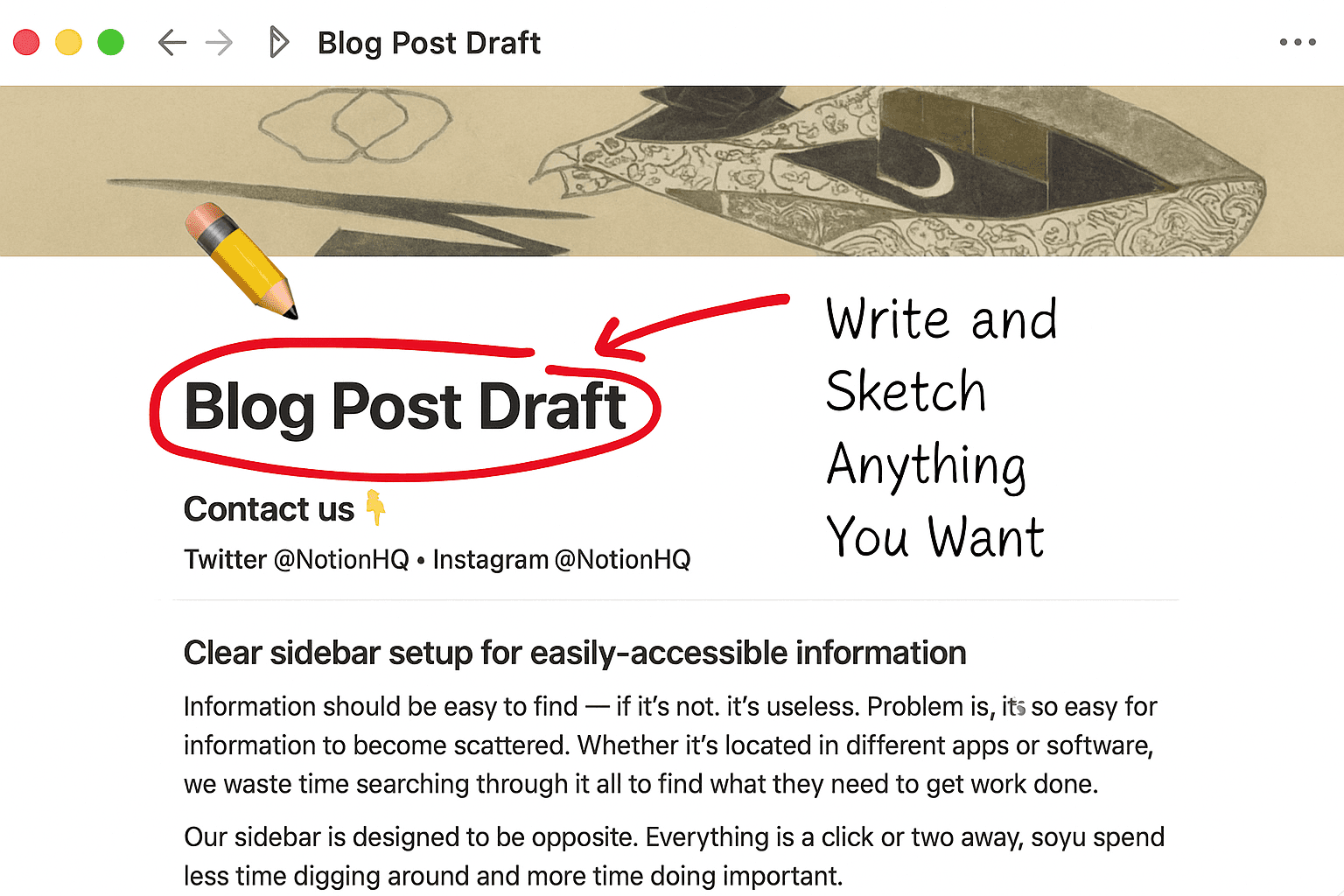
Circle headings, draw arrows, and write down reminders without leaving your page.
Think Visually
Transform your Notion pages into creative canvases
Sketch together with your team
Add feedback, underline updates, and bring discussions to life — right where the content is.
Visual Notes
Circle headings, draw arrows, and write down reminders without leaving your page.
Think Visually
Transform your Notion pages into creative canvases
Sketch together with your team
Add feedback, underline updates, and bring discussions to life — right where the content is.
Visual Notes
Circle headings, draw arrows, and write down reminders without leaving your page.
Think Visually
Transform your Notion pages into creative canvases
Sketch together with your team
Add feedback, underline updates, and bring discussions to life — right where the content is.
Unleash the Power of Productivity
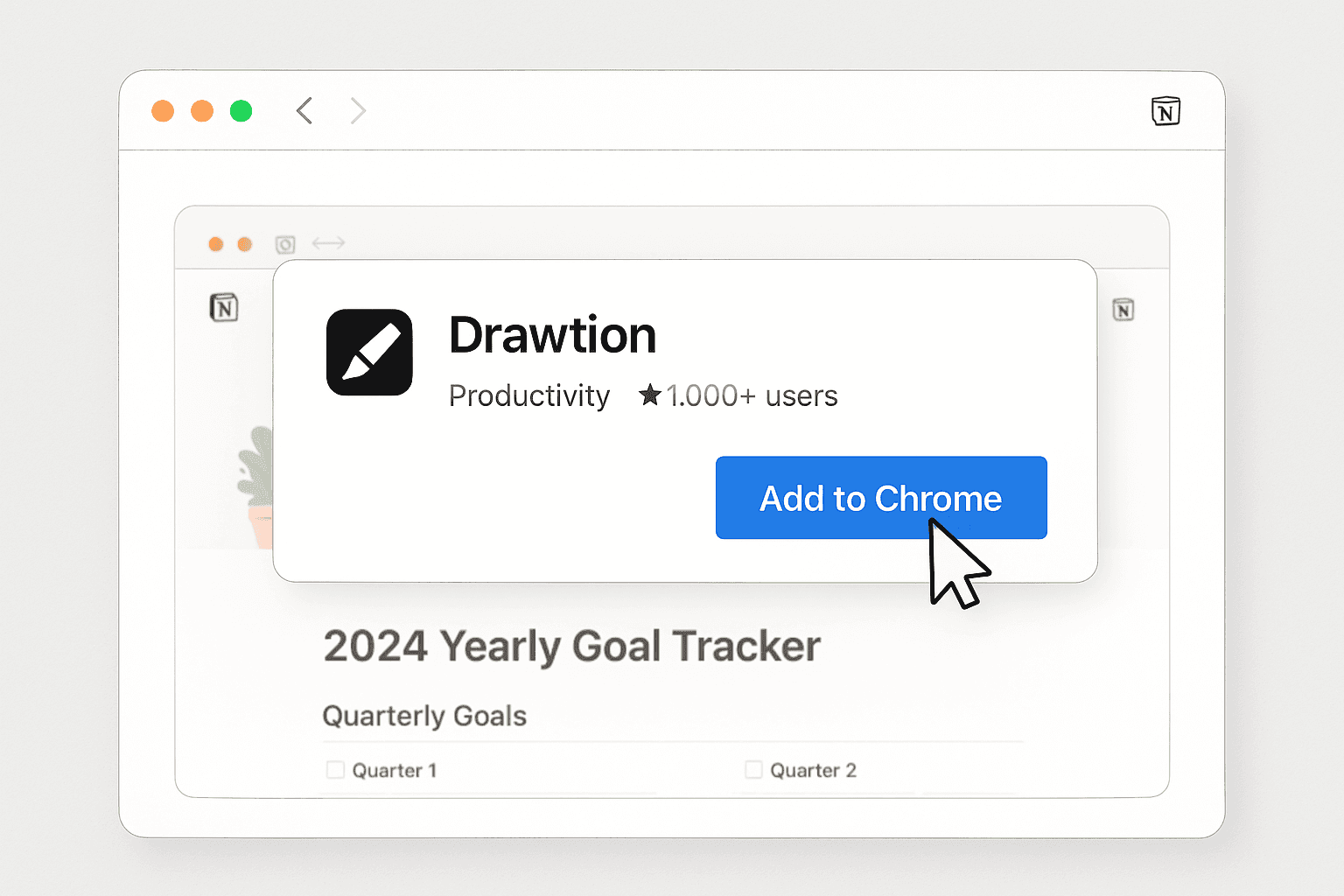
Explore power of Drawtion crafted to help you achieve more with 03 simple steps.
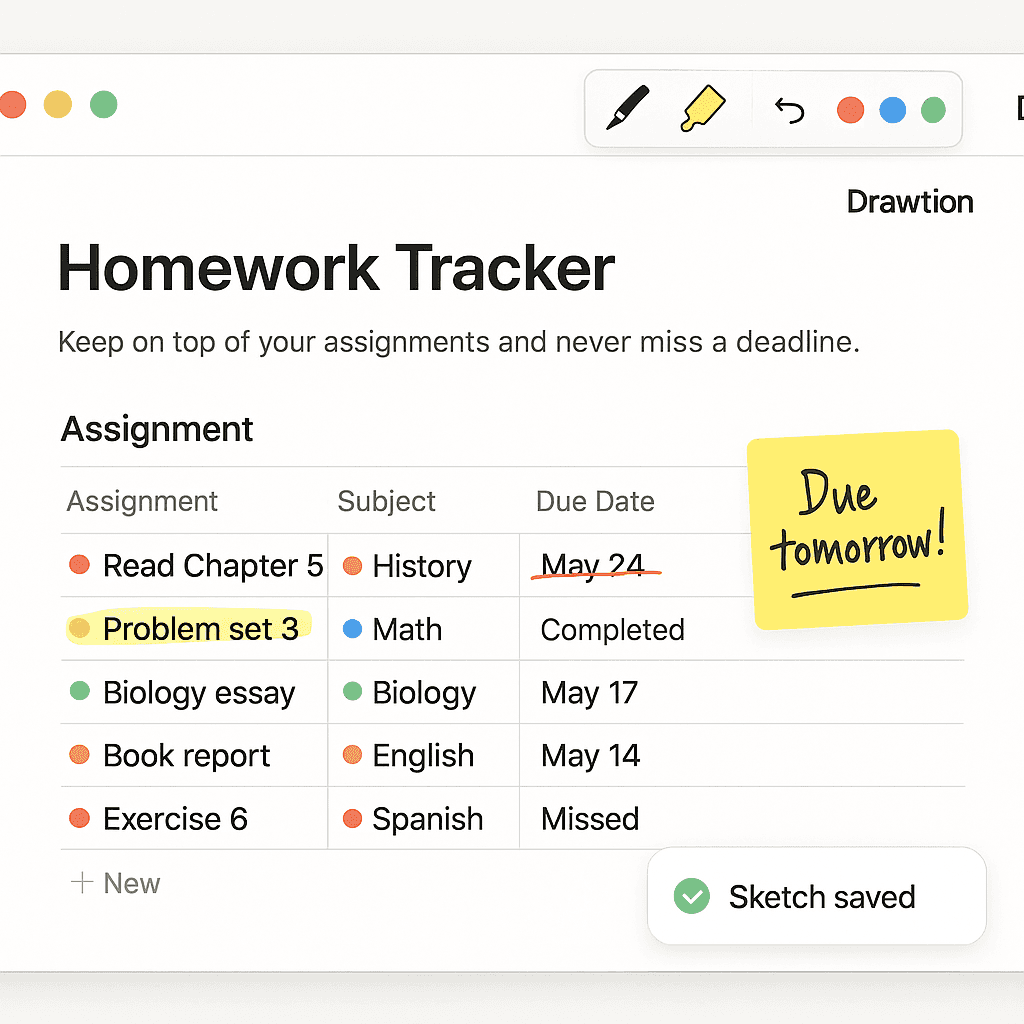
Maximize Creativity & Clarity in Notion
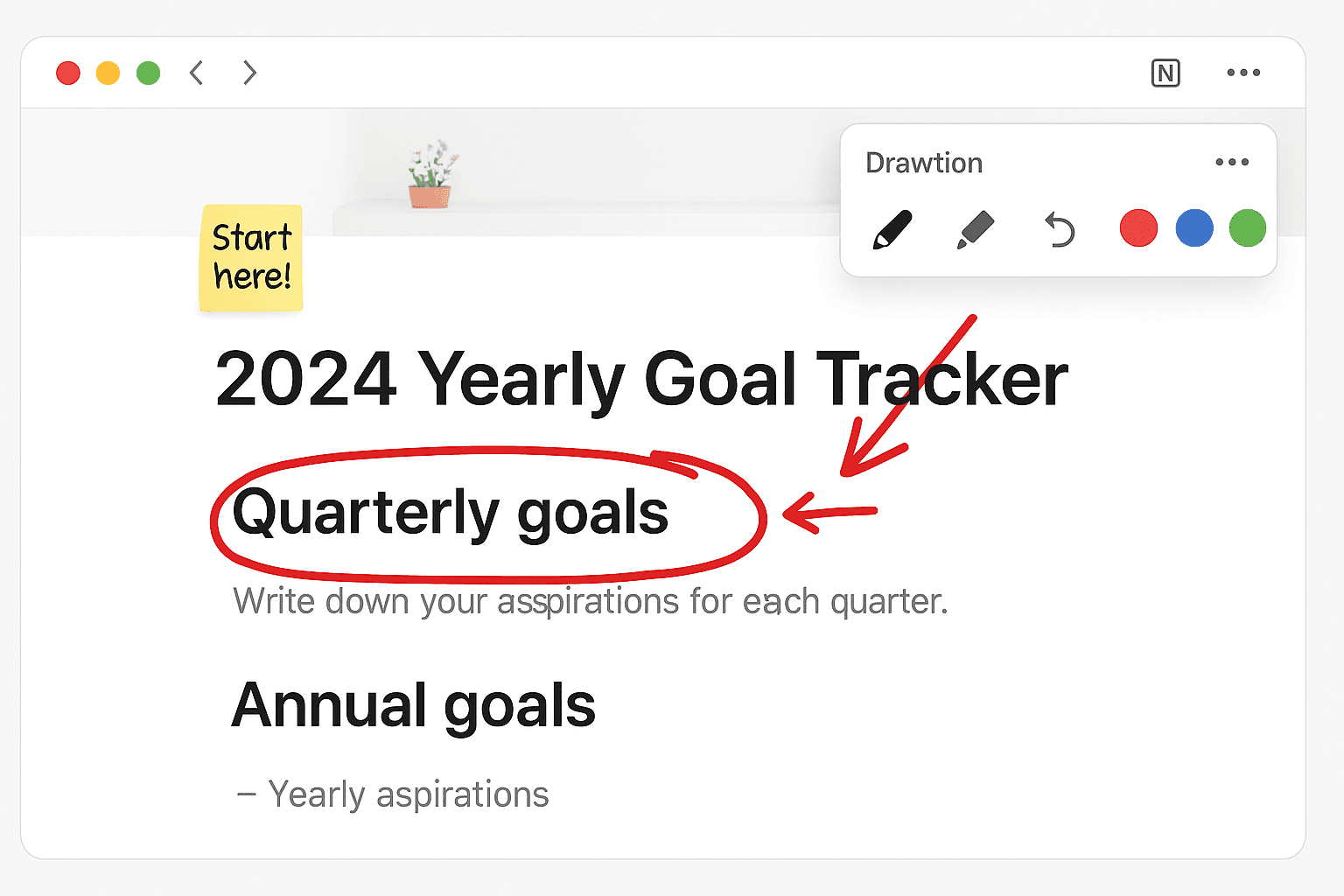
Discover how drawing and annotation tools can supercharge your Notion workspace. With Drawtion, turn static notes into dynamic, expressive visuals — helping you study better, plan faster, and collaborate smarter.


Turn Notes Into Visual Masterpieces
Bring creativity to your planning, studying, and brainstorming. Use colors, shapes, and freehand writing to make your pages visually engaging and easier to understand.
Turn Notes Into Visual Masterpieces
Bring creativity to your planning, studying, and brainstorming. Use colors, shapes, and freehand writing to make your pages visually engaging and easier to understand.
Turn Notes Into Visual Masterpieces
Bring creativity to your planning, studying, and brainstorming. Use colors, shapes, and freehand writing to make your pages visually engaging and easier to understand.
Enhanced Productivity
Think faster. Plan better. Execute clearly. Drawtion helps you declutter your thoughts and organize tasks visually — so you can process information quicker, connect ideas faster, and move from plan to action without friction.
Enhanced Productivity
Think faster. Plan better. Execute clearly. Drawtion helps you declutter your thoughts and organize tasks visually — so you can process information quicker, connect ideas faster, and move from plan to action without friction.
Enhanced Productivity
Think faster. Plan better. Execute clearly. Drawtion helps you declutter your thoughts and organize tasks visually — so you can process information quicker, connect ideas faster, and move from plan to action without friction.
Time-Saving Solutions
Unleash your ideas in real-time — no more time waste embedding links. With Drawtion, you can sketch over text, draw arrows, or underline what's important — all inside your favorite Notion pages.
Time-Saving Solutions
Unleash your ideas in real-time — no more time waste embedding links. With Drawtion, you can sketch over text, draw arrows, or underline what's important — all inside your favorite Notion pages.
Time-Saving Solutions
Unleash your ideas in real-time — no more time waste embedding links. With Drawtion, you can sketch over text, draw arrows, or underline what's important — all inside your favorite Notion pages.
Customizable to Your Needs
Tailor each template to suit your specific requirements. Whether it’s colors, layouts, or structures, you have the flexibility to adapt them to reflect your style and purpose.
Customizable to Your Needs
Tailor each template to suit your specific requirements. Whether it’s colors, layouts, or structures, you have the flexibility to adapt them to reflect your style and purpose.
Boost Focus and Clarity
Break down big projects into manageable steps with structured templates. Visualize your priorities clearly and eliminate distractions, ensuring that you stay on track to success.
Boost Focus and Clarity
Break down big projects into manageable steps with structured templates. Visualize your priorities clearly and eliminate distractions, ensuring that you stay on track to success.
Highlight What Matters Instantly
Quickly mark ideas, action items, or urgent tasks. From circling titles to writing quick notes in the margins — it's the fastest way to keep things clear and focused.
Highlight What Matters Instantly
Quickly mark ideas, action items, or urgent tasks. From circling titles to writing quick notes in the margins — it's the fastest way to keep things clear and focused.
Simple, Lightweight, and Built for Notion
No heavy tools or complicated UI. Just a pen, a highlighter, and your imagination. Drawtion is made to feel like part of Notion — fast, intuitive, and minimal.
Simple, Lightweight, and Built for Notion
No heavy tools or complicated UI. Just a pen, a highlighter, and your imagination. Drawtion is made to feel like part of Notion — fast, intuitive, and minimal.
Insights to Inspire: Master Drawtion Like a Pro
Discover actionable tips, creative ideas, and expert strategies to unlock the full potential of Drawtion and Notion.
Your Questions, Answered
Find answers to common questions about our template and its features.
What is Drawtion, and how can it help me?
Drawtion is a browser extension that lets you draw, sketch, highlight, and annotate directly on any Notion page. It helps you brainstorm, organize thoughts, and visually enhance your notes and tasks — right inside your favorite workspace.
Can I customize the drawing tools to fit my needs?
Yes! You can choose from multiple pen styles, highlighter tools, colors, and undo/redo actions. We’re also working on more customization features like stroke width and sticky notes.
How do I use Drawtion in my Notion workspace?
Yes, once you purchase a template, it’s yours forever, with no recurring fees or subscriptions.
How do I import the template into my Notion workspace?
Just install the extension, open Notion, and click the Drawtion toolbar. You can instantly start sketching — no setup required. It works seamlessly across any page or template.
What if I need help using the extension?
We’re here to help! You can reach out anytime for support, and we’ll guide you through the setup process or answer your questions.
Do you offer refunds or cancellation?
Since Drawtion is currently free to use, no payments are involved. If a paid plan is introduced later, we’ll share a clear refund policy with full transparency.
What is Drawtion, and how can it help me?
Drawtion is a browser extension that lets you draw, sketch, highlight, and annotate directly on any Notion page. It helps you brainstorm, organize thoughts, and visually enhance your notes and tasks — right inside your favorite workspace.
Can I customize the drawing tools to fit my needs?
Yes! You can choose from multiple pen styles, highlighter tools, colors, and undo/redo actions. We’re also working on more customization features like stroke width and sticky notes.
How do I use Drawtion in my Notion workspace?
Yes, once you purchase a template, it’s yours forever, with no recurring fees or subscriptions.
How do I import the template into my Notion workspace?
Just install the extension, open Notion, and click the Drawtion toolbar. You can instantly start sketching — no setup required. It works seamlessly across any page or template.
What if I need help using the extension?
We’re here to help! You can reach out anytime for support, and we’ll guide you through the setup process or answer your questions.
Do you offer refunds or cancellation?
Since Drawtion is currently free to use, no payments are involved. If a paid plan is introduced later, we’ll share a clear refund policy with full transparency.
What is Drawtion, and how can it help me?
Drawtion is a browser extension that lets you draw, sketch, highlight, and annotate directly on any Notion page. It helps you brainstorm, organize thoughts, and visually enhance your notes and tasks — right inside your favorite workspace.
Can I customize the drawing tools to fit my needs?
Yes! You can choose from multiple pen styles, highlighter tools, colors, and undo/redo actions. We’re also working on more customization features like stroke width and sticky notes.
How do I use Drawtion in my Notion workspace?
Yes, once you purchase a template, it’s yours forever, with no recurring fees or subscriptions.
How do I import the template into my Notion workspace?
Just install the extension, open Notion, and click the Drawtion toolbar. You can instantly start sketching — no setup required. It works seamlessly across any page or template.
What if I need help using the extension?
We’re here to help! You can reach out anytime for support, and we’ll guide you through the setup process or answer your questions.
Do you offer refunds or cancellation?
Since Drawtion is currently free to use, no payments are involved. If a paid plan is introduced later, we’ll share a clear refund policy with full transparency.
Get Tips, Updates, and Insights Straight to Your Inbox
*We do not sell or share your personal information.
Get Tips, Updates, and Insights Straight to Your Inbox
*We do not sell or share your personal information.
Get Tips, Updates, and Insights Straight to Your Inbox
*We do not sell or share your personal information.